Script docs · Free
Street Races
Time trials on as many tracks as you want, with leaderboards and server-wide record alerts.
- Version
- v1.0.0
- Frameworks
- ESX · QBCore · Qbox
- Requires
- ox_lib, oxmysql, OneSync
- Source
- Open source
- resmon
- 0.00 ms idle · 0.01 ms menu open
- Updated
- 7 Oct 2026
Time-trial street races for FiveM. Players walk up to the race desk, pick a track and a car, and race against the clock through a line of checkpoints. Every track has its own leaderboard, and breaking a record is announced to the whole server. ESX, QBCore and Qbox.
The server runs the race: it spawns the car, starts and stops the timer, checks every checkpoint against the car’s real position and timing, and saves the time. A modified client can’t post a time it didn’t drive.
Made by XeX. Screenshots and the rest of the XeX scripts are on xexstudio.com.
Features
- Race desk: an NPC with ox_target or qb-target, or a marker and
[E]without a target resource. Map blip. - Four tracks included: a city lap through Hawick and Vinewood, a sprint through the south of Los Santos, a fast
loop around the oil fields and an off-road run through the Grand Senora Desert. Add your own with
/racetool. - Vehicle pick: each track has its own list of cars. The server spawns the one the player picks.
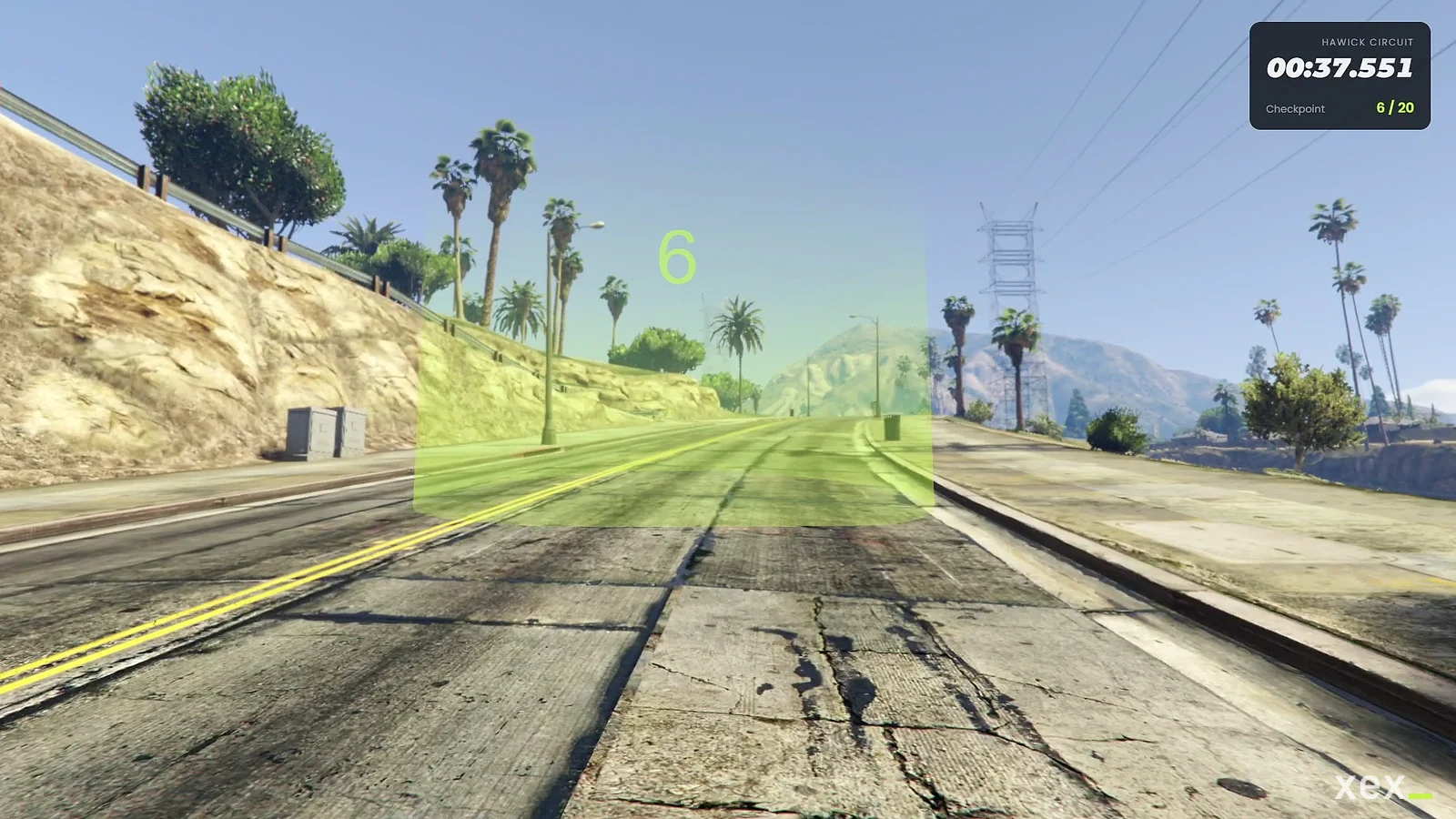
- Countdown, HUD and finish screen: 3-2-1-GO, a running timer with the checkpoint count, and a finish screen with the time, personal best and track record.
- Leaderboards: top 10 per track with character names, your best and the record on every track, and the number of records you hold.
- Ghost mode: racers don’t collide with other players and look see-through to them.
- Optional rewards: money for a record, a personal best or any finish, with a cooldown and an hourly limit. Off by default.
- Hooks and events for battle passes, analytics or permissions, without editing the resource.
- Optimized: no threads while nobody races and no database queries during a race until the finish. The desk NPC only exists while a player is close to it.
- English and Spanish.
Requirements
- ox_lib and oxmysql
- One framework: ESX, QBCore or Qbox
- OneSync (on by default on current servers)
- Optional: ox_target or qb-target
Install
- Put
xex_racesin your resources folder. - Add it to
server.cfgafter your framework, ox_lib and oxmysql:ensure xex_races - Set the language with
setr ox:locale en(ores).
The xex_race_times table is created on start. If your database user can’t create tables, run install/races.sql.
How it works
- At the desk the player opens the menu, picks a track and a car.
- The server spawns the car on the start line and the player is placed in it.
- Countdown. The car is held still until GO. The timer starts on the server at that moment.
- Checkpoints are shown one at a time with a GPS route. Each one is checked on the server before the next appears.
- Finish. The server stops the timer and saves the time if it’s the player’s best. The player goes back to the desk and sees the finish screen.
A race ends early if the car is wrecked, the player dies, leaves the car for too long (10 s by default), types
/cancelrace or disconnects. The car is always removed.
/races opens the menu anywhere to look at tracks and leaderboards. Races only start at the desk.
Configure
| File | What it contains |
|---|---|
config.lua |
All settings (table below) |
data/tracks.lua |
Tracks: start line, cars, checkpoints |
locales/<locale>.json |
Every text: notifications, menu, HUD and track names |
bridge/server.lua |
Framework, money, character names, vehicle keys, fuel |
bridge/client.lua |
Notifications, target resource, client-side fuel resources |
| Setting | What it does |
|---|---|
Config.Framework |
auto, or force esx / qb / qbox |
Config.Target |
auto, ox_target, qb-target or none (marker and [E]) |
Config.Desk |
Position, NPC model and scenario, start radius and blip |
Config.Marker |
Marker shown at the desk when it has no NPC |
Config.Commands |
Menu and cancel commands. nil turns one off |
Config.Admin |
Ace and names of the admin commands |
Config.UI |
Brand name and accent color |
Config.Checkpoint |
Checkpoint type, size, color and blip color |
Config.Race |
Countdown, ghost mode, time allowed outside the car, car colors, plate prefix and the server checks (maximum speed, checkpoint margin, start radius, time limits) |
Config.Leaderboard |
Entries shown per track, record announcements |
Config.Rewards |
Money per finish, personal best and record, account, cooldown and hourly limit |
Config.Hooks |
Functions called by the server (see For developers) |
Tracks
{
    id = 'docks',                          -- stored with every time: don't rename it once it has times
    label = 'Docks Sprint',                -- nil = locale key track_docks
    description = 'Through the port.',     -- nil = locale key track_docks_desc
    start = vec4(1000.0, -3000.0, 5.9, 90.0),
    vehicles = {
        { model = 'sultan', label = 'Sultan' },
        { model = 'bati', label = 'Bati 801', type = 'bike' }, -- type for anything that isn't a car
    },
    checkpoints = {
        vec3(900.0, -3000.0, 5.9),
        vec3(800.0, -2950.0, 5.9),         -- the last one is the finish line
    },
},
To make a lap, end the list with the start position. Set enabled = false to hide a track and keep its times.
Adding tracks in game
Admins can run /racetool start on the start line (in the car, facing the way the race goes) and
/racetool cp at every checkpoint. Each prints a line ready to paste into data/tracks.lua and copies it to the
clipboard.
Rewards
Config.Rewards = {
    enabled = true,
    account = 'bank',
    finish = 0,
    personalBest = 500,
    record = 1500,
    cooldown = 300,
    maxPerHour = 4,
}
Only the highest reward that applies is paid. Rewards come from times the server measured, so they can’t be farmed with a modified client. Keep them modest: anyone who drives a track well enough gets paid.
Keys, fuel and notifications
bridge/server.lua gives keys with qbx_vehiclekeys or qb-vehiclekeys and sets fuel for ox_fuel.
bridge/client.lua covers LegacyFuel, cdn-fuel and ps-fuel, and sends notifications through lib.notify.
Swap in your own resources there.
Admin commands
| Command | What it does |
|---|---|
/racesreset <track> |
Clears the leaderboard of a track |
/racesstats |
Prints drivers and record of every track (server console and F8) |
/racetool cp | start |
Prints coordinates for data/tracks.lua |
They are restricted to group.admin. Change it in Config.Admin.ace.
For developers
exports.xex_races:IsRacing(source) -- server| Event (server, local) | Arguments |
|---|---|
xex_races:raceStarted |
source, trackId, model (when the timer starts) |
xex_races:raceFinished |
source, trackId, timeMs, isPersonalBest, isRecord |
xex_races:suspicious |
source, reason, details (out_of_order, impossible_speed, bad_start, too_short) |
AddEventHandler('xex_races:raceFinished', function(source, trackId, timeMs, isPersonalBest, isRecord)
    -- battle pass progress, logs, analytics...
end)
Config.Hooks does the same from the config, plus a check before a race starts:
Config.Hooks = {
    canStart = function(source, trackId, model)
        return true -- false = the player can't start this race
    end,
    onRaceFinished = function(source, data)
        -- data = { track, time, vehicle, personalBest, record, reward }
    end,
}
Keep server-specific code in your own resource and listen to the events: updates of xex_races then never overwrite it.
Security
Players only ask to start a race and say which checkpoint they reached. The server:
- starts races only near the desk, with a track and a car from
data/tracks.lua; - spawns the car itself and starts the timer only when the player sits in it on the start line;
- accepts checkpoints only in order, only when the car is at the checkpoint, and only if the time since the last one
is possible at
Config.Race.maxSpeed(a teleport ends the race and firesxex_races:suspicious); - measures the time itself and closes the race before saving it, so a race can only finish once;
- pays rewards (if on) from that time, with a cooldown and an hourly limit.
FAQ
Can players race their own cars? No. Races use cars spawned by the server, so the car and the time can be checked.
Can several players race at the same time? Yes, each with their own car and timer. Two players can’t start the same track while the first car is still on the start line; the second one waits a moment.
Is there multiplayer racing (players against each other)? Not in 1.0. Every race is a time trial; the leaderboard is the competition.
How do I reset a track?
/racesreset <track id>. To reset everything, empty the xex_race_times table.
I renamed a track id and its times are gone.
Times are stored by id. Put the old id back, or update track_id in the database.
Why does the menu say I have to go to the desk?
/races shows tracks and leaderboards anywhere, but races only start at the desk.
License
MIT. Use it, change it and share it; keep the copyright notice. See LICENSE.