Script docs · Free
EAS
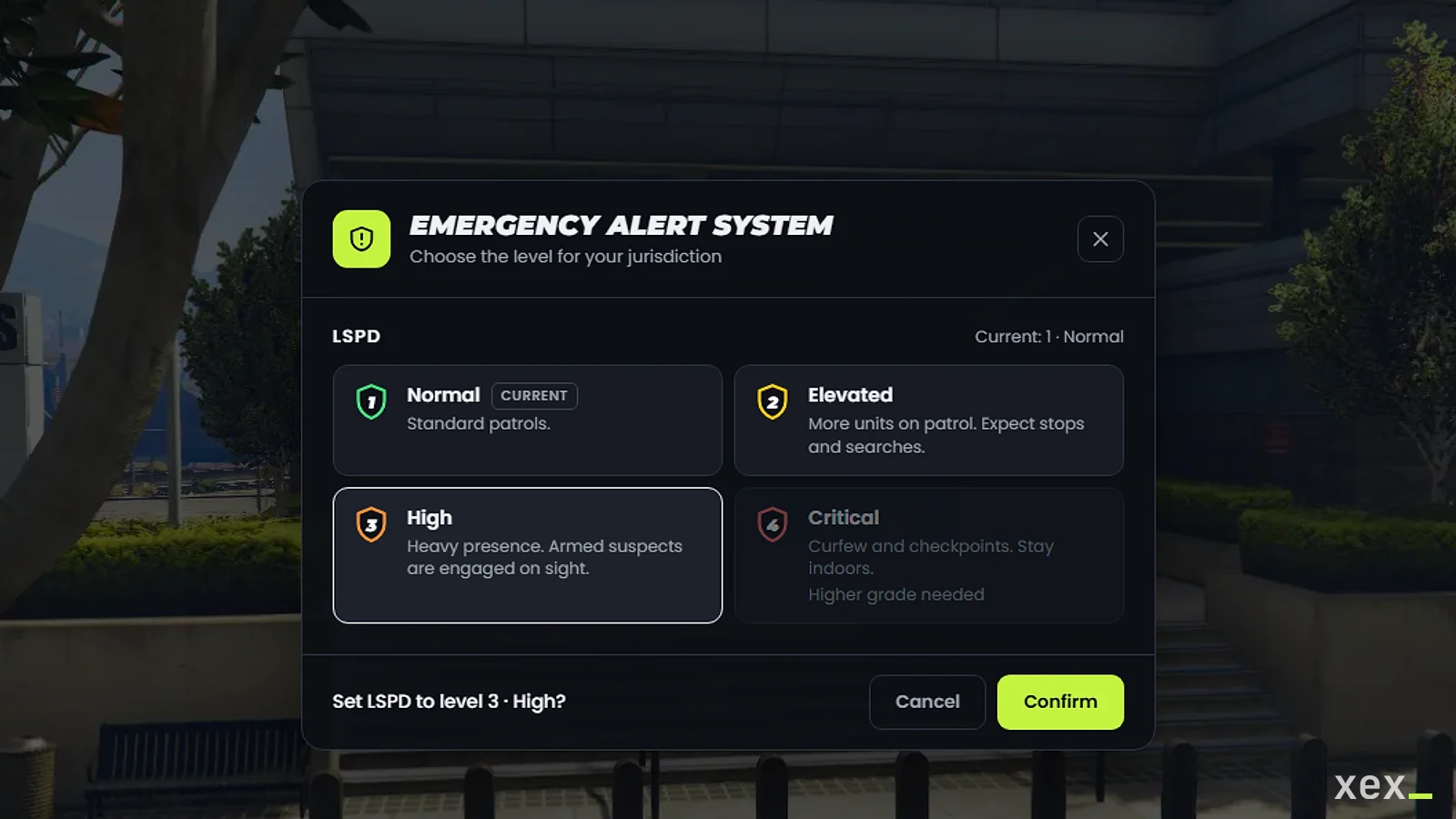
Emergency alert levels shown to every player, by jurisdiction.
- Version
- v2.0.0
- Frameworks
- ESX · QBCore · Qbox
- Requires
- ox_lib
- Source
- Escrow
- resmon
- 0.00 ms idle · 0.00 ms menu open
- Updated
- 6 Oct 2026
Emergency alert levels per jurisdiction. Police, sheriff or EMS set the level for their area and every player inside it sees it on screen. ESX, QBCore and Qbox. Every change is validated on the server.
Requirements
- ox_lib
- One framework: ESX, QBCore or Qbox (or none: the bridge is open)
Install
- Drop
xex_easinto your resources folder. - Add to
server.cfgafter your framework and ox_lib:ensure xex_eas - Set the language with
setr ox:locale en(ores). - Optional, Discord log of every change (server-only convar, never sent to players):
set xex_eas_webhook "https://discord.com/api/webhooks/..." - Optional, let admins change every alert:
add_ace group.admin xex_eas.admin allow
Use
| Command | What it does |
|---|---|
/eas |
Opens the menu with the alerts your job can change |
/eas police 3 |
Sets an alert directly (also from the server console) |
/toggleeas |
Hides the alerts marked hideable (only exists if at least one is) |
/easmove |
Drag the alerts anywhere on screen. Saved per player; Reset goes back to the default |
Configure
Everything lives in config.lua:
| Setting | What it does |
|---|---|
Config.Framework |
auto, or force esx / qb / qbox |
Config.Command, Config.HideCommand, Config.MoveCommand |
Command names. nil disables hiding or moving |
Config.AdminAce |
Ace that can change every alert |
Config.Cooldown |
Seconds between two changes by the same player |
Config.Persist |
Keep the levels after a restart (resource KVP, no database) |
Config.Notify |
Notify players in that jurisdiction, or with a job that manages the alert, when its level changes |
Config.UI.theme |
dark, light, glass (translucent) or minimal (HUD without background) |
Config.UI.position |
Default HUD position: top-center, top-left, top-right, right, bottom-center, bottom-right |
Config.UI.scale |
HUD size, 0.7 to 1.5 |
Config.UI.accent, Config.UI.title |
Menu accent colour and title |
Config.Alerts |
One entry per alert (see below) |
Each alert:
| Field | What it does |
|---|---|
name |
Unique id, used by /eas <name> <level> and the exports |
label |
Name shown on the HUD and in the menu |
jobs |
{ job = minimum grade } that can change it |
requireDuty |
Only on-duty players can change it (QBCore / Qbox, and ESX versions with duty) |
visibleTo |
nil for every player, or a list of jobs |
hideable |
Players can hide it with the hide command |
zones |
GTA zone names where it shows, or true for the whole map |
default |
Level on first start (and on every start with Persist = false) |
levels |
Label, colour, description and optional minGrade of each level |
For developers
-- server
local level = exports.xex_eas:GetAlertLevel('police')
exports.xex_eas:SetAlertLevel('police', 3) -- no permission checks: trusted callers only

AddEventHandler('xex_eas:levelChanged', function(name, level, previous, source) end) -- source 0 = console or script

-- client
local level = exports.xex_eas:GetAlertLevel('police')
bridge/server.lua and bridge/client.lua are open: adapt them for a custom framework or job system.
Security
- The server checks the job, grade, duty and level of every change, and applies a per-player cooldown.
- Levels reach players through a global state bag: no client can push a level to others.
- The Discord webhook is read from a server convar, so it never reaches players.
Performance
The client checks the player’s zone once per second and only talks to the UI when the visible alerts change. Hidden alerts and the HUD position are stored per player with client KVP: nothing is sent to the server.